Table of Contents,

28 Powerful SQL JOINs Interview Questions to Ace Data Analyst Interviews

Part 2 of 100 SQL + Business Interview Questions Series

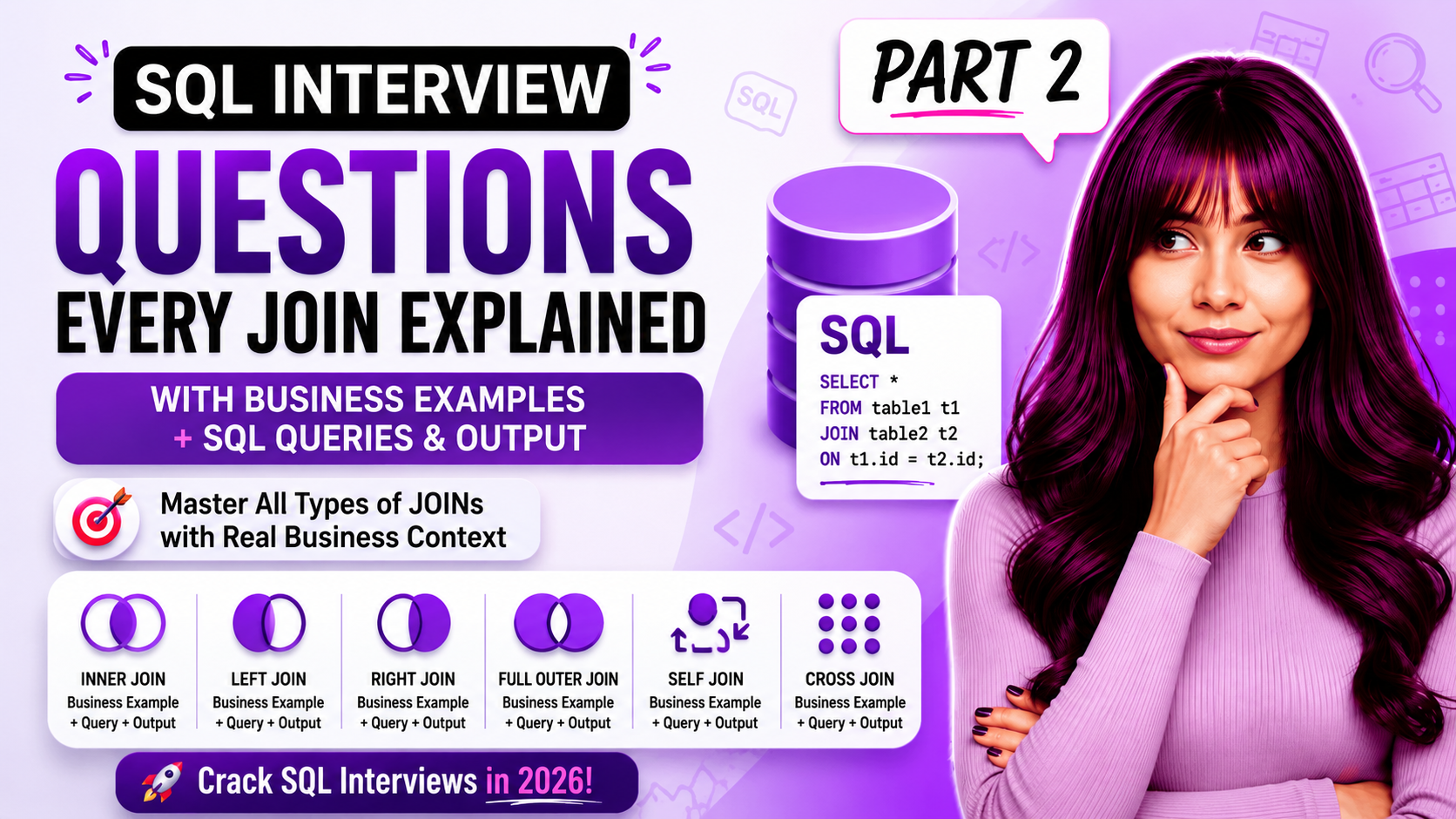
SQL JOINs Interview Questions are among the most frequently asked questions in Data Analyst interviews. Understanding INNER JOIN, LEFT JOIN, RIGHT JOIN, SELF JOIN, and FULL OUTER JOIN is essential for solving real business problems.
Introduction

Greetings, this is Priyanka from Bloomindata!

To be honest, I was most afraid of talking about JOINs during interviews. Whenever an interviewer asked me to “write a query,” I became anxious.

Why SQL JOINs Interview Questions Matter for Data Analyst Interviews

One of the most common subjects in data analyst interviews is SQL JOINs Interview Questions: 28 Powerful Real Business Scenarios for Data Analysts, which assess your ability to integrate data from several tables and address actual business issues.

So I created this guide the way I wish someone had explained it to me — not just syntax, but real business stories. Each question here has the scenario, the query, the output, and how to speak about it confidently.I therefore made this guide using actual business stories rather than just terminology, as I wish someone had explained it to me. Here, every question includes the circumstance, the query, the result, and a confident way to discuss it.

Let’s go!

SQL JOINs Interview Questions: INNER JOIN Examples

INNER JOIN (Questions 1–5)

Only the rows where there is a match in both tables are returned by an inner join. Imagine it as the Venn diagram’s overlap of two circles.

Q1. What is INNER JOIN?

“Based on the join criterion, INNER JOIN returns just the rows where a matching value exists in both tables. A row is not included in the outcome if there is no match in either table.

Business Scenario

An e-commerce company wants to see all orders along with the customer name who placed them. Only orders that have a valid customer should appear—no anonymous or test orders.

SQL Query

SELECT
o.order_id,
c.customer_name,
o.order_date,
o.order_amount
FROM orders o
INNER JOIN customers c
ON o.customer_id = c.customer_id
ORDER BY o.order_date DESC;

Interview Tip

Orders without a customer_id match are automatically excluded. This is useful when we want clean, validated data only.

Q2. Find Total Revenue Per Product Category Using INNER JOIN

Business Scenario

A retail company needs a report showing total revenue grouped by product category.

SQL Query

SELECT
p.category,
COUNT(o.order_id) AS total_orders,
SUM(o.amount) AS total_revenue,
ROUND(AVG(o.amount), 2) AS avg_order_value
FROM orders o
INNER JOIN products p
ON o.product_id = p.product_id
GROUP BY p.category
ORDER BY total_revenue DESC;

How to Explain It

Since I only want orders with a genuine product, I connected orders with product data using an inner join. A revenue breakdown is then given to category managers by GROUP BY category.

Q3. Find Customers Who Placed Orders in January 2025

Business Scenario

Marketing wants a list of customers who were active in January 2025 to send loyalty rewards.

SQL Query

SELECT DISTINCT
c.customer_id,
c.customer_name,
c.email
FROM customers c
INNER JOIN orders o
ON c.customer_id = o.customer_id
WHERE DATE_FORMAT(o.order_date, ‘%Y-%m’) = ‘2025-01’
ORDER BY c.customer_name;

Interview Tip

Always watch for duplicates when joining transactional tables. DISTINCT prevents customers from appearing multiple times.

Q4. INNER JOIN vs WHERE Clause Join

Both produce the same result, but INNER JOIN is the modern and recommended approach. Explicit JOIN syntax is more readable and easier to debug in complex queries.

Q5. Find the Top 5 Customers by Total Spend

Business Scenario

A product manager wants to identify the highest-spending customers for VIP benefits.

SQL Query

SELECT
c.customer_name,
c.city,
COUNT(o.order_id) AS total_orders,
SUM(o.amount) AS total_spend
FROM customers c
INNER JOIN orders o
ON c.customer_id = o.customer_id
GROUP BY c.customer_id, c.customer_name, c.city
ORDER BY total_spend DESC
LIMIT 5;

SQL JOINs Interview Questions: LEFT JOIN Scenarios

LEFT JOIN (Questions 6–10)

LEFT JOIN returns all rows from the left table plus matching rows from the right table. When no match exists, NULL values are returned from the right table. This is one of the most commonly used JOINs in business analytics.

Q6. Find Customers Who Never Placed an Order

INNER JOIN returns only the rows where there is a matching value in both tables based on the join condition. If a row in either table has no match, it is excluded from the result.”

Business Scenario

The retention team wants to identify customers who signed up but never purchased.

SQL Query

SELECT
c.customer_id,
c.customer_name,
c.email,
c.signup_date
FROM customers c
LEFT JOIN orders o
ON c.customer_id = o.customer_id
WHERE o.order_id IS NULL
ORDER BY c.signup_date;

Interview Tip

LEFT JOIN + IS NULL is one of the most important interview patterns. It finds unmatched records.

Q7. Show All Products Including Those With Zero Sales

Business Scenario

An inventory manager wants all products, including unsold products.

SQL Query

SELECT
p.product_name,
p.category,
COALESCE(COUNT(o.order_id), 0) AS total_orders,
COALESCE(SUM(o.amount), 0) AS total_revenue
FROM products p
LEFT JOIN orders o
ON p.product_id = o.product_id
GROUP BY p.product_id, p.product_name, p.category
ORDER BY total_revenue DESC;

How to Explain It

COALESCE converts NULL values to 0, making dashboards cleaner and easier to understand.

Q8. INNER JOIN vs LEFT JOIN

SituationUse
Revenue report (valid orders only)INNER JOIN
Customers who never orderedLEFT JOIN + IS NULL
Products with zero salesLEFT JOIN
Employees with or without managersLEFT JOIN

Q9. Find Employees With No Manager Assigned

SQL Query

SELECT
e.employee_id,
e.employee_name,
e.department,
e.manager_id
FROM employees e
LEFT JOIN employees m
ON e.manager_id = m.employee_id
WHERE m.employee_id IS NULL;

This combines a SELF JOIN with a LEFT JOIN.


Q10. Monthly Active vs Total Registered Users

Business Scenario

A product manager wants to compare registered users versus active users by month.

SQL Query

SELECT
e.employee_id,
e.employee_name,
e.department,
e.manager_id
FROM employees e
LEFT JOIN employees m
ON e.manager_id = m.employee_id
WHERE m.employee_id IS NULL;

SQL JOINs Interview Questions: RIGHT JOIN Examples

RIGHT JOIN (Questions 11–13)

RIGHT JOIN returns all rows from the right table and matching rows from the left table. Most analysts prefer LEFT JOIN because it is easier to read and maintain.

Q11. What Is RIGHT JOIN?

RIGHT JOIN returns all rows from the right table and matching rows from the left. In practice, most analysts rewrite RIGHT JOINs as LEFT JOINs.

Q12. Find All Delivery Agents Including Those With No Orders


SQL Query

SELECT
a.agent_id,
a.agent_name,
COUNT(o.order_id) AS assigned_orders
FROM orders o
RIGHT JOIN delivery_agents a
ON o.agent_id = a.agent_id
GROUP BY a.agent_id, a.agent_name;

Q13. Why Do Analysts Prefer LEFT JOIN?

Any RIGHT JOIN can be rewritten as a LEFT JOIN by swapping table order. Consistent LEFT JOIN usage improves readability and reduces mistakes.


SQL JOINs Interview Questions: FULL OUTER JOIN Use Cases

FULL OUTER JOIN (Questions 14–15)

FULL OUTER JOIN returns all rows from both tables. It is commonly used for reconciliation and auditing. MySQL requires a UNION workaround.

Q14. Reconcile Two Sales Systems

Business Scenario

Compare records between an old CRM and a new CRM to identify missing data.

FULL OUTER JOIN is ideal for reconciliation because it shows records that exist in one system but not the other.

Q15. What Is FULL OUTER JOIN?

FULL OUTER JOIN returns all rows from both tables. Matching rows are combined, while unmatched rows display NULL values from the opposite table.

SQL JOINs Interview Questions: SELF JOIN Problems

SELF JOIN (Questions 16–18)

SELF JOIN allows a table to be joined to itself. It is useful for hierarchies, comparisons, and organizational structures.

Q16. Show Employees With Their Manager's Name


SQL Query

SELECT
a.agent_id,
a.agent_name,
COUNT(o.order_id) AS assigned_orders
FROM orders o
RIGHT JOIN delivery_agents a
ON o.agent_id = a.agent_id
GROUP BY a.agent_id, a.agent_name;

Q17. Find Customers Who Ordered the Same Product


SQL Query

SELECT
a.agent_id,
a.agent_name,
COUNT(o.order_id) AS assigned_orders
FROM orders o
RIGHT JOIN delivery_agents a
ON o.agent_id = a.agent_id
GROUP BY a.agent_id, a.agent_name;

The condition a.customer_id < b.customer_id prevents duplicate customer pairs.

Q18. Find Employees Earning More Than Their Manager


SQL Query

SELECT
a.agent_id,
a.agent_name,
COUNT(o.order_id) AS assigned_orders
FROM orders o
RIGHT JOIN delivery_agents a
ON o.agent_id = a.agent_id
GROUP BY a.agent_id, a.agent_name;

CROSS JOIN (Questions 19–20)

CROSS JOIN creates every possible combination of rows between two tables. Use it carefully because it can generate huge result sets.

Q19. Create Product × Region Planning Templates


SQL Query

SELECT
a.agent_id,
a.agent_name,
COUNT(o.order_id) AS assigned_orders
FROM orders o
RIGHT JOIN delivery_agents a
ON o.agent_id = a.agent_id
GROUP BY a.agent_id, a.agent_name;

Q20. What Is a Cartesian Product?

Every row from Table A combines with every row from Table B. If each table has 1,000 rows, the result contains 1,000,000 rows.

Multiple JOINs (Questions 21–24)

Real business queries almost always involve 3 or more tables. The key is to join step by step — think of it as building a chain.

Q21. Complete Order Report Using 3-Table JOIN

Business Scenario

Operations team wants a complete order report showing:

Order ID
Customer Name
Product Name
Product Category
Order Amount

The data is spread across three tables:

Orders
Customers
Products


SQL Query

SELECT
a.agent_id,
a.agent_name,
COUNT(o.order_id) AS assigned_orders
FROM orders o
RIGHT JOIN delivery_agents a
ON o.agent_id = a.agent_id
GROUP BY a.agent_id, a.agent_name;

Sample Output

order_idorder_datecustomer_nameproduct_namecategoryamount
10012025-01-10Priya SharmaSamsung TVElectronics₹24,000
10022025-01-11Rahul MehtaCotton KurtaClothing₹850

Q22. Logistics Dashboard Using 4-Table JOIN

Business Scenario

A logistics dashboard needs a complete view containing:

Order Details
Customer Name
Product Name
Assigned Delivery Agent

All information is stored across four different tables.


SQL Query

SELECT
a.agent_id,
a.agent_name,
COUNT(o.order_id) AS assigned_orders
FROM orders o
RIGHT JOIN delivery_agents a
ON o.agent_id = a.agent_id
GROUP BY a.agent_id, a.agent_name;

Mixed JOIN Types "I used INNER JOIN for customers and products because every order must have these records. I used LEFT JOIN for delivery agents because newly placed orders may not yet have an assigned agent. Mixing JOIN types is completely valid and common in real-world business queries."

Q23. Regional Sales Analysis Using 3-Table JOIN

Business Scenario

A regional sales manager wants total revenue by city and category.

The information comes from:

Orders
Customers (contains city)
Products (contains category)


SQL Query

SELECT
a.agent_id,
a.agent_name,
COUNT(o.order_id) AS assigned_orders
FROM orders o
RIGHT JOIN delivery_agents a
ON o.agent_id = a.agent_id
GROUP BY a.agent_id, a.agent_name;

Q24. Multi-Table JOIN Best Practice

“I always start FROM the main/fact table — the one that contains the core event or transaction. For example, in an e-commerce analysis, I start with the orders table because each row is a transaction. I then JOIN dimension tables (customers, products, regions) to add context. This approach also aligns with how data warehouses are structured — fact table at the center, dimensions branching out.”

Why This Matters

When working with multiple JOINs:

  1. Start from the fact table.
  2. Add dimension tables one by one.
  3. Verify row counts after every JOIN.
  4. Use INNER JOIN only when matching records are required.
  5. Use LEFT JOIN when you want to preserve all records from the primary table.

This makes complex queries easier to understand, debug, and explain during interviews.

Key Takeaway

When interviewers ask about joining 3+ tables, they are usually testing whether you can:

Identify the fact table
Understand relationships between tables
Choose the correct JOIN type
Explain the business impact of the query

Mastering these concepts will make real-world SQL reporting and data analyst interviews much easier.

Advanced SQL JOINs Interview Questions

Advanced Interview Scenarios (Questions 25–28)

These scenarios frequently appear in real-world analytics interviews.

Why Does My LEFT JOIN Create Duplicate Rows?

Duplicate rows usually happen because the join key is not unique in one of the tables. Aggregate first, use DISTINCT, or review the data model.

Month-over-Month Revenue Growth

A SELF JOIN on monthly sales data can calculate revenue growth from one month to the next.

JOIN ON vs JOIN USING

ON → Explicit and works everywhere.
USING → Cleaner syntax when column names match exactly.

Cohort Retention Analysis

One of the most common product analytics interview questions: measuring how many users return in a later period after their first purchase.

Frequently Asked SQL Interview Questions

1. How do I find records that exist in one table but not another?

Use: LEFT JOIN ... WHERE right_table.column IS NULL This pattern helps find customers who never ordered, products never sold, employees without managers, and similar unmatched records.

2. Why do interviewers ask SQL JOIN questions?

JOINs test whether you understand relationships between tables and can solve real business problems using SQL. They are among the most important topics in Data Analyst, Business Analyst, and SQL interviews.

3. Can I join more than two tables in SQL?

Yes. Real-world business queries often involve three or more tables. For example, joining Orders, Customers, Products, and Delivery Agents together to create a complete operational dashboard.

4. What are the most important SQL JOIN interview questions for Data Analysts?

The most commonly asked topics include: INNER JOIN vs LEFT JOIN Finding unmatched records using LEFT JOIN + IS NULL SELF JOIN interview questions Joining 3+ tables FULL OUTER JOIN use cases Cohort and retention analysis Duplicate rows after JOINs Revenue and customer analytics scenarios These are the questions most frequently seen in Data Analyst interviews.

5. Are SQL JOINs Interview Questions important for Data Analyst interviews?

Yes. SQL JOINs Interview Questions are among the most frequently asked topics in Data Analyst interviews because they test your ability to work with multiple tables and solve business problems.

How to Practice SQL JOINs Interview Questions Effectively


The best way to master SQL JOINs Interview Questions is by solving real business scenarios involving customers, orders, products, employees, and sales data.

Final Thoughts

SQL JOINs Interview Questions used to confuse me so much, especially LEFT JOIN and SELF JOIN scenarios. After practicing real business cases, I realized that interviewers care more about your reasoning than just syntax. If you’re preparing for Data Analyst interviews, mastering these SQL JOINs Interview Questions will give you a huge advantage.

Writing this guide helped me understand JOINs deeply, and I hope these business scenarios helped make them click for you too.

If you’re preparing for SQL interviews, practice explaining why you’re using a JOIN, not just writing the syntax. That’s what interviewers are really testing.

Happy learning!

— Priyanka, Bloomindata

What's Next?

This is Part 2 of my 100 SQL + Business  Data Analytics Interview Questions series on Bloomindata.
Coming up next:

Read Next:Window Functions — ROW_NUMBER, RANK, LAG, LEAD (Q26–Q30)
Part 4: Subqueries and CTEs (Q23–Q25, Q32–Q33)
Part 5: Business Metrics — Churn, LTV, DAU, Retention (Q44–Q50)

Part 1: 100 Data Analyst Interview Questions and Answers

Found this useful?

Share it with someone who is also preparing for their data analyst interview IN 2026!

Scroll to Top